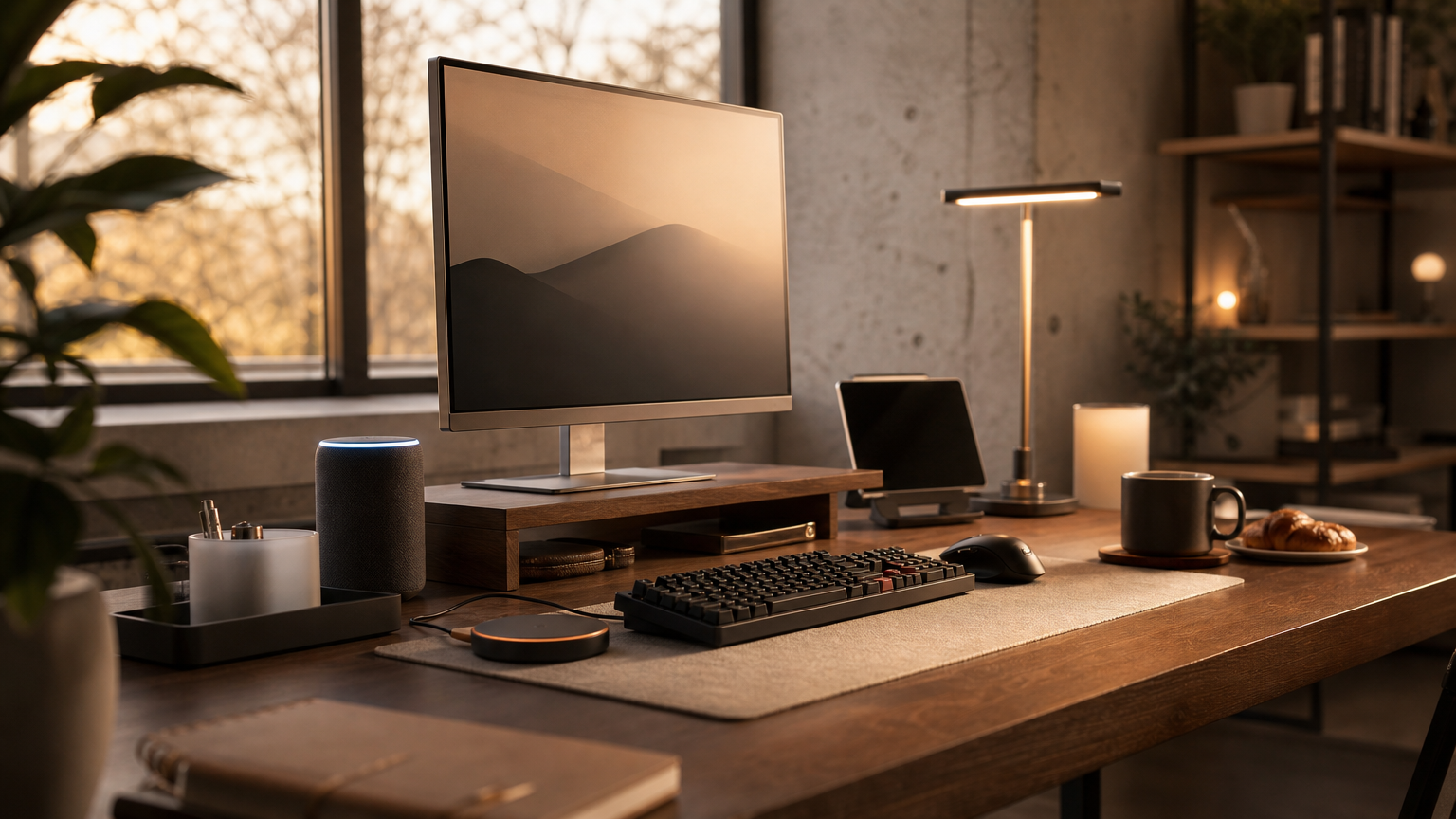
Why Minimalist Desk Setups Still Win in 2026
The cluttered desk is dead. In 2026, the most productive home offices share one trait: intentional restraint. Every item on the desk earns its place or gets removed. The result is a workspace that reduces cognitive load and looks genuinely good on video calls.
A minimalist desk setup isn’t about spending less. It’s about spending smarter on fewer, better things. The right monitor arm, a single quality keyboard, and thoughtful cable management can transform a chaotic workspace into something that actually helps you focus.
Here’s how to build a minimalist desk setup that works for real life in 2026, with specific products, prices, and practical advice.
Choosing the Right Desk Foundation

Your desk is the canvas. For minimalist setups, you want clean lines, a matte finish, and enough surface area without excess. The sweet spot is 120cm to 140cm wide and at least 60cm deep.
The Autonomous SmartDesk Core ($449) remains a top pick for sit-stand functionality with a clean aesthetic. Its steel frame comes in white or black, and the bamboo top option adds warmth without visual noise. If you prefer a fixed-height desk, the IKEA MITTZON ($299) offers a birch veneer top with integrated cable management built into the frame.
For those with deeper budgets, the Secretlab MAGNUS Pro ($699) features a full-length magnetic cable management tray underneath and a metal surface that works with magnetic accessories. No drilling, no adhesive strips peeling off after six months.
Desk Color and Material Guide
White oak and walnut remain the dominant choices for 2026. Avoid high-gloss surfaces as they show fingerprints and create glare on video calls. Matte or satin finishes photograph better and hide daily wear.
The Single-Monitor Philosophy
Here’s a controversial take: one good monitor beats two mediocre ones for minimalism. A single 32-inch 4K display gives you enough screen real estate for split-window workflows without the visual weight of a dual-arm setup.
The LG 32UQ85R UltraFine ($549) is purpose-built for this approach. It delivers 4K resolution, USB-C with 96W power delivery (so one cable handles display and charging), and a slim bezel that disappears against a white wall. The Samsung ViewFinity S8 ($449) is a strong alternative with similar specs and a matte panel that kills reflections.
Mount it on a Ergotron LX Desk Mount ($179) or the budget-friendly Amazon Basics Monitor Arm ($109). A mounted monitor frees up the entire desk surface beneath it and lets you adjust height precisely for ergonomics.
Monitor Comparison for Minimalist Setups
| Monitor | Size | Resolution | USB-C PD | Price |
|---|---|---|---|---|
| LG 32UQ85R UltraFine | 32″ | 4K | 96W | $549 |
| Samsung ViewFinity S8 | 32″ | 4K | 65W | $449 |
| Dell U3223QE | 32″ | 4K | 90W | $619 |
| Apple Studio Display | 27″ | 5K | 96W | $1,599 |
Keyboard and Mouse: Less is More
Wireless is non-negotiable for a clean desk in 2026. The Apple Magic Keyboard with Touch ID ($199) remains the gold standard for Mac users. Its low profile keeps sightlines clean, and the aluminum finish matches most minimalist aesthetics.
For Windows and cross-platform users, the Logitech MX Keys S ($109) offers a similarly slim profile with backlit keys and Bluetooth multi-device switching. Pair it with the Logitech MX Master 3S ($99) for a cohesive look, or go ultra-minimal with the Apple Magic Trackpad ($149) if you prefer gesture-based navigation.
Mechanical keyboard fans have options too. The HHKB Studio ($399) is expensive but its compact layout and muted colorways were designed for exactly this kind of setup. The Keychron K3 Pro ($94) is a more accessible low-profile mechanical option that doesn’t look out of place next to a MacBook.
Keyboard and Pointing Device Comparison
| Device | Type | Connectivity | Profile | Price |
|---|---|---|---|---|
| Apple Magic Keyboard | Membrane | Bluetooth | Ultra-low | $199 |
| Logitech MX Keys S | Membrane | BT + USB-C | Low | $109 |
| Keychron K3 Pro | Mechanical | BT + USB-C | Low | $94 |
| HHKB Studio | Topre | BT + USB-C | Standard | $399 |
| Logitech MX Master 3S | Mouse | BT + USB-C | Ergonomic | $99 |
Cable Management That Actually Works
Cables are the enemy of minimalism. The goal is zero visible cables from your seated position. Here’s the system that works best in 2026.
Start with a cable management tray mounted under your desk. The VIVO Under Desk Cable Tray ($16 on Amazon) is a simple wire basket that holds power strips and excess cable length out of sight. For standing desks, use a cable management spine like the Autonomous Cable Management Kit ($25) that flexes as the desk moves up and down.
Use a single USB-C cable from your laptop to your monitor for both display and power. This alone eliminates two or three cables. Run your remaining cables (monitor power, desk lamp) through adhesive cable clips along the back edge of the desk and down one leg.
The Anker 675 USB-C Docking Station ($249) sits on your desk as a monitor stand while providing 12 ports and 100W passthrough charging. It consolidates what would otherwise be a tangle of dongles and hubs into one clean piece.
Lighting: One Good Source Beats Three Mediocre Ones
Task lighting on a minimalist desk should be functional and sculptural. The BenQ ScreenBar Halo ($179) mounts on top of your monitor, casts zero screen glare, and includes a wireless dial controller. It eliminates the need for a desk lamp entirely.
If you prefer a freestanding lamp, the Dyson Solarcycle Morph ($649) tracks daylight color temperature throughout the day and folds flat when not in use. It’s expensive, but it replaces both a task light and an ambient light. The more affordable BenQ WiT e-Reading Lamp ($219) offers a wide beam that covers your entire desk surface from a single arm.
Desk Accessories: The Curated Few
The rule for minimalist desk accessories: if it doesn’t serve a daily function or bring you genuine satisfaction to look at, it goes in a drawer. Here’s what earns surface space.
A wireless charging pad keeps your phone topped up without adding a cable. The Nomad Base One Max ($109) charges MagSafe iPhones at full 15W speed and looks like a polished metal disc. For Android users, the Samsung Wireless Charger Pad ($39) is understated and effective.
A small desk plant adds life without clutter. A single pothos in a ceramic pot or a small snake plant works well. Keep it to one plant, not a jungle.
For note-taking, a single quality notebook and pen beats scattered sticky notes. The Leuchtturm1917 A5 Hardcover ($24) in a neutral color and a Muji 0.5mm Gel Pen ($3) are all you need on the surface.
What to Remove From Your Desk Today
If you’re transitioning from a cluttered setup, start by removing these common offenders:
- Paper trays and file organizers (go digital or use a drawer)
- Multiple mugs, water bottles, or cups (keep one)
- Sticky notes on the monitor (use a digital notes app)
- USB hubs and dongles visible on the surface (route under desk)
- Decorative items that don’t bring daily joy (be honest)
Budget Breakdown: Three Minimalist Desk Tiers
Not everyone has the same budget. Here are three complete setups at different price points, all following minimalist principles.
Budget Build ($500-$700)
| Item | Product | Price |
|---|---|---|
| Desk | IKEA MITTZON 140cm | $299 |
| Monitor Arm | Amazon Basics Monitor Arm | $109 |
| Keyboard | Keychron K3 Pro | $94 |
| Light | BenQ ScreenBar (non-Halo) | $109 |
| Cable Tray | VIVO Under Desk Tray | $16 |
| Total | $627 |
Mid-Range Build ($1,200-$1,500)
| Item | Product | Price |
|---|---|---|
| Desk | Autonomous SmartDesk Core (Bamboo) | $449 |
| Monitor | Samsung ViewFinity S8 32″ | $449 |
| Monitor Arm | Ergotron LX | $179 |
| Keyboard + Mouse | Logitech MX Keys S + MX Master 3S | $208 |
| Light | BenQ ScreenBar Halo | $179 |
| Charger | Nomad Base One Max | $109 |
| Total | $1,573 |
Premium Build ($2,500+)
| Item | Product | Price |
|---|---|---|
| Desk | Secretlab MAGNUS Pro | $699 |
| Monitor | LG 32UQ85R UltraFine | $549 |
| Monitor Arm | Ergotron LX | $179 |
| Keyboard | HHKB Studio | $399 |
| Dock | Anker 675 USB-C Docking Station | $249 |
| Light | Dyson Solarcycle Morph | $649 |
| Charger | Nomad Base One Max | $109 |
| Total | $2,833 |
Making It Work Long-Term
The hardest part of a minimalist desk isn’t building it. It’s maintaining it. Items drift onto surfaces over weeks. Cables get unplugged and left hanging. New gadgets arrive and never get properly integrated.
Set a weekly ritual: every Sunday evening, spend five minutes resetting your desk to its original state. Put things back in drawers. Re-route any loose cables. Remove anything that accumulated during the week. This small habit is what separates people who have minimalist desks from people who had one for a month.
The best minimalist desk setup in 2026 isn’t about following a trend. It’s about creating a workspace where your attention goes to the work, not to the environment around it. Start with the desk, add only what you use daily, hide everything else, and protect that simplicity over time.