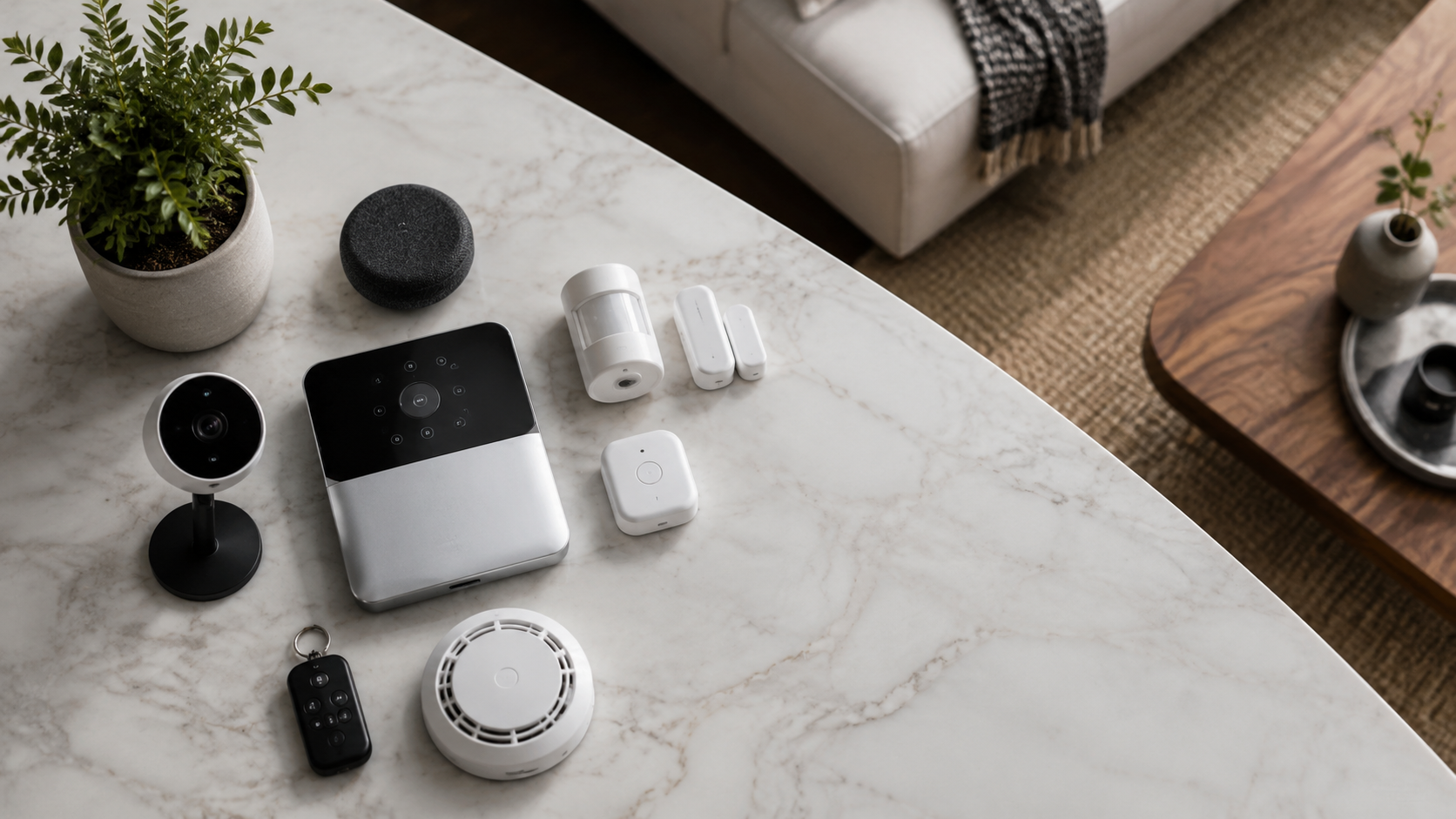
What is smart home security systems? In plain terms, smart home security systems are connected devices that watch entry points, detect motion or water, record video, and send alerts to your phone.
If you have ever searched “what is smart home security systems,” the practical answer is a coordinated safety layer made from sensors, cameras, alarms, locks, and app alerts. The best versions protect the home without making it feel like a store, a server room, or a rental full of plastic boxes.
For 2026, the sweet spot is not simply “more cameras.” It is a layered setup: a video doorbell at the approach, contact sensors on the right doors and windows, one indoor camera only where it makes sense, and a hub or app that can arm the home automatically. Parks Associates reported in 2024 that roughly one-third of U.S. internet households owned a security system, which explains why design-friendly choices now matter as much as raw specs.
Below is a practical buying guide with product names, real-world price ranges, design notes, and the security details that matter. Prices change often, but these street prices reflect typical U.S. retail at Amazon, Best Buy, Home Depot, Target, and brand stores as of early 2026.
Smart home security systems, defined
Definition: A smart home security system is a connected safety setup made from sensors, cameras, alarms, locks, and software that can notify you, record events, and in some cases contact a monitoring center.
Standalone definition for quick reference: Smart home security means your doors, windows, cameras, motion sensors, and alarms can talk to an app or hub, so you can see what happened, act from your phone, and automate basic protection.
The system can be professionally monitored, self-monitored, or a mix of both. Professional monitoring usually costs about $10 to $50 per month. Self-monitoring can cost $0 per month, though cloud video storage often adds a separate fee.
“A good smart security plan starts with entry sensors, not cameras. Cameras show what happened, but sensors tell the system that something is happening right now.”
Best smart security systems at a glance

| System | Starter price | Monitoring | Best for | Where to buy |
|---|---|---|---|---|
| Ring Alarm Pro | About $300 | Optional, plans from about $20/month | Homes that already use Ring cameras | Amazon, Best Buy, Ring |
| SimpliSafe 10-Piece Kit | About $280 to $400 | Optional, about $10 to $32/month | Renters and easy DIY installs | SimpliSafe, Best Buy, Amazon |
| Abode Smart Security Kit | About $220 | Optional, about $7 to $25/month | Apple Home, Alexa, and Google households | Abode, Amazon |
| Arlo Home Security System | About $200 | Optional, plans vary | Camera-first homes with sleek hardware | Arlo, Best Buy, Amazon |
| Aqara Security Starter Setup | About $100 to $250 depending on hub and sensors | Mostly self-monitoring | Design-conscious smart homes and HomeKit users | Amazon, Aqara |
What belongs in a modern security setup?
The core pieces are simple. Start with a base station or hub, door and window contact sensors, a motion sensor, a siren, and app control. Add cameras only where they answer a real question: Who is at the door? Did a package arrive? Is the side gate open?
A typical apartment needs fewer devices than a suburban house. For a one-bedroom apartment, a video doorbell or peephole camera, two contact sensors, one motion sensor, and one smart lock can be enough. A detached house often benefits from four to eight contact sensors, one doorbell, two outdoor cameras, and leak sensors near water heaters or laundry rooms.
The design-first rule
Security hardware should not fight the room. White contact sensors vanish on white trim, while black cameras look intentional against dark exterior metalwork. If your home has warm oak, limewash, stone, or quiet luxury styling, hide the utilitarian pieces and let only the best-looking devices remain visible.
The Google Nest Doorbell, about $180, has a softer shape than many doorbells and works well on painted trim. The Aqara Door and Window Sensor P2, often around $30, is small enough for apartment doors. The Arlo Essential 2K Outdoor Camera, often $80 to $130, has a clean rounded body that looks less aggressive than many floodlight cameras.
Ring Alarm Pro: best for camera-heavy homes
Ring Alarm Pro is the practical pick for a home that already has a Ring Video Doorbell, Ring Stick Up Cam, or Ring Floodlight Cam. The starter kit is often around $300, and the built-in eero Wi-Fi 6 router makes it more than a basic alarm hub.
The appeal is the single app. You can see camera clips, arm the alarm, check sensors, and manage alerts in one place. With the right plan, it can also offer internet backup, which matters if you work from home or travel often.
The downside is aesthetic. Ring devices are easy to recognize, and the brand’s visual language feels more utility than interior design. I would use Ring for exterior coverage, then keep the indoor footprint minimal.
SimpliSafe: best for renters and low-stress installs
SimpliSafe remains one of the easiest kits to recommend because the hardware is straightforward. A 10-piece kit usually lands between $280 and $400, depending on sales, and the sensors attach with adhesive strips. That makes it a friendly choice for renters who do not want holes in trim or walls.
The SimpliSafe Wireless Outdoor Camera is usually about $190, while the Video Doorbell Pro is often around $170. The keypad is not gorgeous, but it is simple and can be placed near a door, inside a closet, or on a discreet side wall.
Choose SimpliSafe if you want a traditional alarm experience with modern app control. Skip it if you want deep smart home tinkering or elegant device design in every room.
Abode: best for smart home compatibility
Abode is the strongest choice for people who care about compatibility. The Smart Security Kit is commonly around $220 and works with Alexa, Google Assistant, and Apple Home. That matters because many security brands still treat Apple Home support as an afterthought.
Abode’s sensors are compact, and the system feels flexible. You can build a serious alarm setup, or you can use it as the safety layer within a broader smart home that includes lights, locks, and climate controls.
Design-wise, Abode is quiet. The hardware does not call attention to itself, which is exactly what most interiors need. I like it for townhouses, apartments with good millwork, and homes where visible devices need to be edited tightly.
Arlo: best for polished camera coverage
Arlo is the camera-first option. The Arlo Home Security System starter kit often sits around $200, while Arlo Pro and Essential cameras range widely from about $80 to $250 each. Arlo’s current cameras tend to look cleaner than many budget models, with smooth shells and simple mounts.
The main reason to pick Arlo is video quality and exterior coverage. If your security concern is the driveway, porch, side yard, or detached garage, Arlo deserves a look. The app is clear, and the hardware has a more premium feel than many low-cost camera kits.
The tradeoff is subscription pressure. Like many camera brands, the best storage and detection features usually sit behind a paid plan. Budget for that before you buy three or four cameras.
Aqara: best for discreet sensors and Apple Home
Aqara is the quiet insider pick for design-minded smart homes. A Hub M3 is often around $130, while individual door, motion, vibration, temperature, and leak sensors often range from $20 to $50. It is especially attractive for Apple Home users and people building around Matter.
The hardware is small, minimal, and easy to hide. Aqara’s presence sensor and contact sensors can support routines that feel refined, such as turning on a warm entry light when the front door opens after sunset.
Aqara is less like a traditional alarm company and more like a smart home safety toolkit. If you want professional monitoring, choose another system. If you want discreet sensing, it is one of the best values in the category.
Comparison: which system fits your home?
| Home type | Best pick | Why it works | Estimated starter budget |
|---|---|---|---|
| Studio or one-bedroom rental | SimpliSafe or Aqara | Small sensors, easy install, low wall damage | $150 to $350 |
| Family house with front porch | Ring Alarm Pro | Strong doorbell and camera ecosystem | $400 to $800 |
| Apple Home household | Abode or Aqara | Better fit for Home app routines | $220 to $600 |
| Large driveway or detached garage | Arlo | Good wireless camera range and image quality | $350 to $900 |
| No monthly fee goal | Aqara or Eufy-based setup | More local control and fewer required plans | $200 to $700 |
FAQ: smart home security systems
This FAQ answers the exact questions people ask when comparing smart home security systems for apartments, houses, and design-led renovations.
Question: What is smart home security systems in simple words?
Q: What is smart home security systems?
A: Smart home security systems are internet-connected alarms and sensors that help protect a home. They can include door sensors, cameras, motion detectors, sirens, smart locks, leak sensors, and phone alerts. A quick definition of what is smart home security systems: connected protection that lets a home detect activity, notify you, and record useful evidence.
Question: Do smart security systems need Wi-Fi?
Q: Do smart security systems need Wi-Fi?
A: Most need Wi-Fi for app control, video, and alerts. Some systems also use cellular backup, battery backup, Zigbee, Z-Wave, Thread, or a private radio connection so sensors can still communicate when Wi-Fi is weak.
Question: Can I use a smart security system without a subscription?
Q: Can I use a smart security system without a subscription?
A: Yes, but it depends on the brand. Aqara and Eufy are better for low-fee or self-monitored setups. Ring, Arlo, and SimpliSafe work without some paid features, but cloud video storage, professional monitoring, and advanced detection often require a plan.
Question: How much should I spend?
Q: How much should I spend?
A: A small apartment can start around $150 to $300. A well-covered house usually costs $400 to $1,000 before monitoring fees. Professional monitoring can add about $120 to $600 per year, depending on the brand and plan.
Privacy and placement matter
The most beautiful smart security setup is also restrained. Avoid indoor cameras in bedrooms, bathrooms, guest rooms, and anywhere a visitor expects privacy. For many homes, an entry camera, exterior cameras, and non-camera sensors inside are the better balance.
Use camera activity zones so you are not recording the whole street. Turn off audio recording where it is not needed. Set strong passwords and two-factor authentication on every security account, because the app is now part of the front door.
“The best security camera placement is specific: porch, driveway, gate, or garage. A camera pointed vaguely at everything usually creates more notifications than useful evidence.”
My recommended 2026 starter setup
For most stylish homes, I would start with Abode or Aqara for sensors, then add one strong doorbell camera from Google Nest, Ring, or Eufy depending on the rest of the household tech. That gives you a calmer interior and good coverage where people actually enter.
If you want professional monitoring, choose SimpliSafe for ease or Ring Alarm Pro if you already use Ring cameras. If you want the cleanest design footprint and do not need a call center, build around Aqara sensors and a small number of carefully placed cameras.
The final test is simple: can the system answer who, where, and when without making your home feel tense? If yes, you have the right smart home security system. If not, edit it down until every device has a job.