
Smart Thermostat Comparison: Nest vs Ecobee in 2026
Choosing between the Google Nest Learning Thermostat and the Ecobee Smart Thermostat Premium is one of the most common decisions homeowners face when upgrading their climate control. Both devices promise energy savings, intelligent scheduling, and voice assistant integration. But they take fundamentally different approaches to keeping your home comfortable.
After testing both thermostats across multiple seasons, here’s a detailed breakdown of how they compare on the metrics that actually matter: comfort, savings, installation, and smart home integration.
Google Nest Learning Thermostat (4th Gen) Overview
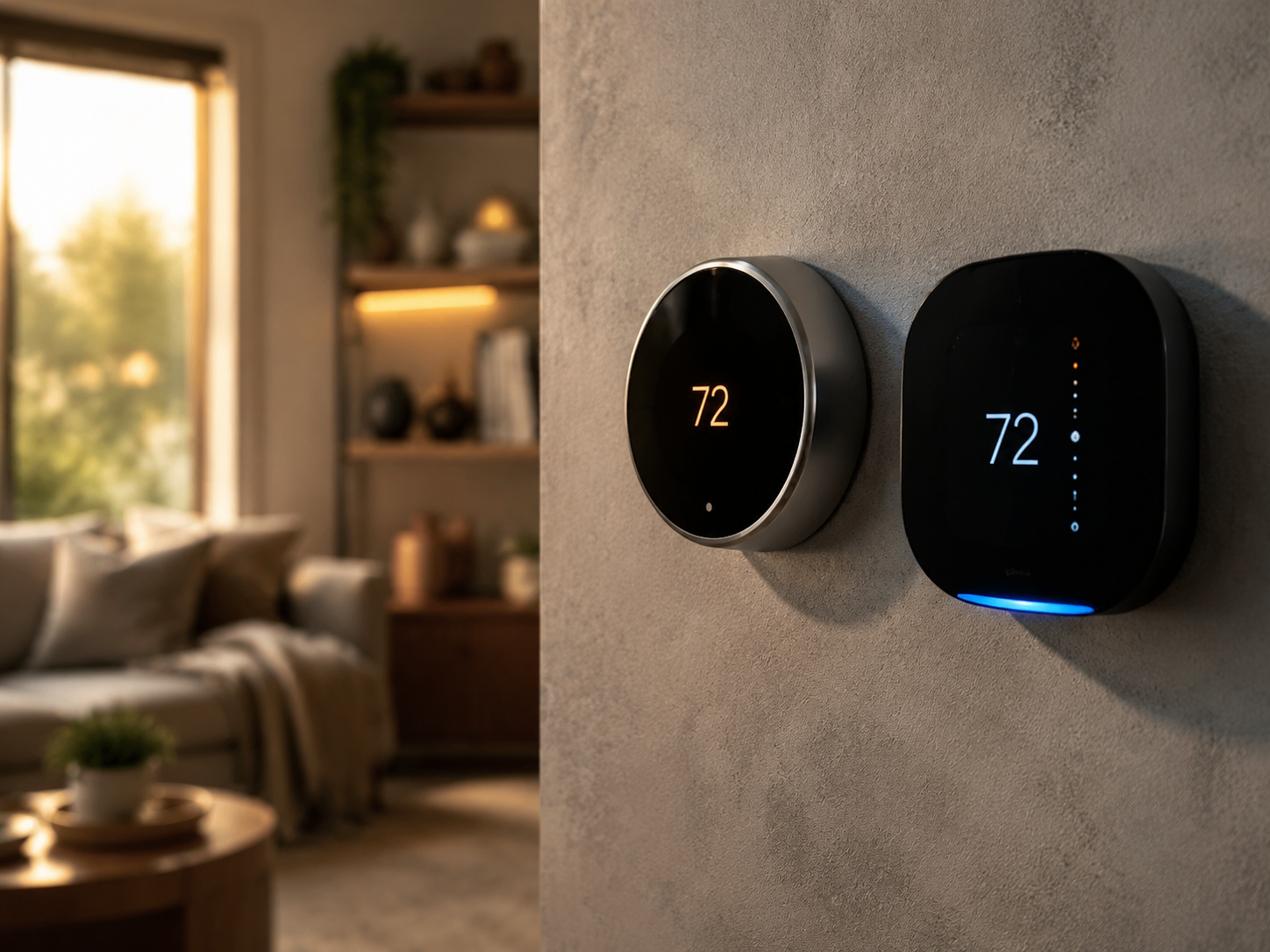
The fourth-generation Nest Learning Thermostat ($279.99 at the Google Store) arrived in late 2024 with a complete hardware redesign. The new borderless dome display is a significant departure from the chunky hockey-puck look of earlier models. It’s thinner, more refined, and blends into modern interiors without screaming “tech gadget.”
Nest’s core selling point remains its learning algorithm. After about a week of manual adjustments, the thermostat builds a schedule based on your habits. It knows when you leave for work, when you come home, and what temperature you prefer while sleeping. The Soli radar sensor detects presence in the room, so it can switch to Eco mode when nobody’s around.
Google has also added Matter support to the 4th gen model, which means it plays nicely with Apple HomeKit and other Matter-compatible platforms. This was a major gap in previous Nest thermostats that locked you into the Google ecosystem.
Ecobee Smart Thermostat Premium Overview
The Ecobee Smart Thermostat Premium ($249.99 at ecobee.com or Amazon) takes a different philosophy. Rather than learning from your behavior alone, it uses remote room sensors to measure temperature and occupancy throughout your home. The base unit ships with one SmartSensor, and you can add up to 32 additional sensors ($79.99 for a two-pack).
The built-in Alexa speaker is a polarizing feature. Some people love having a voice assistant right on their thermostat. Others find it unnecessary when they already have Echo devices scattered around. The speaker quality is decent for quick commands and weather checks, but you won’t be streaming music through it.
Ecobee’s zinc alloy construction feels premium in hand, and the 3.5-inch touchscreen display is responsive and easy to read from across the room.
Head-to-Head Comparison Table
| Feature | Nest Learning (4th Gen) | Ecobee Premium |
|---|---|---|
| Price | $279.99 | $249.99 |
| Display | 2.7″ dome LCD | 3.5″ touchscreen |
| Remote Sensors | Nest Temperature Sensor ($39.99 each, sold separately) | 1 included, up to 32 total |
| Voice Assistant | Google Assistant (via compatible speaker) | Built-in Alexa |
| Matter Support | Yes | Yes |
| HomeKit Support | Yes (via Matter) | Native |
| Learning Algorithm | Yes, auto-schedules | Eco+ with community data |
| Occupancy Detection | Soli radar on unit | Room sensors with motion |
| HVAC Compatibility | 95% of systems | 95% of systems |
| Energy Report | Monthly via app | Monthly via app + Home IQ |
| Warranty | 2 years | 3 years |
Installation and Setup
Both thermostats are designed for DIY installation, and most homeowners can get either one running in 30 minutes or less. The process is similar: turn off your HVAC system at the breaker, remove your old thermostat, label the wires, mount the new base plate, connect the wires, and attach the display unit.
Nest has a slight edge here with its online compatibility checker. Enter your existing wiring configuration at nest.com/compatibility, and it tells you immediately whether the Nest will work with your system. The app walks you through each wire with photo-based instructions.
Ecobee requires a common wire (C-wire) for power. If your home doesn’t have one, Ecobee includes a Power Extender Kit in the box that acts as a workaround. Nest can operate without a C-wire by pulse-charging from the heating and cooling wires, though adding one improves reliability.
Setting up remote sensors is where Ecobee pulls ahead. The included SmartSensor pairs automatically during setup, and placing additional sensors in bedrooms or the kitchen takes about 60 seconds each. Nest’s temperature sensors work fine but require a separate purchase and don’t include occupancy detection.
Energy Savings: Who Saves You More?
Google claims the Nest thermostat saves an average of 10-12% on heating and 15% on cooling bills. These numbers come from independent studies conducted by energy companies across North America. The learning algorithm is the primary driver: it figures out your patterns and avoids heating or cooling an empty house.
Ecobee’s Eco+ feature takes a community-based approach. It analyzes data from millions of Ecobee users, local weather patterns, and your utility’s time-of-use rates to optimize when your system runs. Ecobee reports average savings of 23% on annual heating and cooling costs, though this figure includes the benefit of remote sensors preventing hot and cold spots.
In practice, the savings difference between the two is modest for most households. If you have a multi-story home or rooms that are consistently warmer or cooler than others, Ecobee’s sensor-based approach will likely save you more. For smaller homes or apartments with consistent temperatures throughout, Nest’s learning algorithm performs just as well.
Utility Rebates
Both thermostats qualify for utility rebates in most US states. Check with your local energy provider, as rebates typically range from $50 to $100. Some utilities offer free smart thermostats through energy efficiency programs. The ENERGY STAR certification on both models makes them eligible for these programs.
Smart Home Integration
This is where your existing ecosystem matters most. If you’re a Google Home household with Nest cameras, Nest speakers, and Chromecast devices, the Nest thermostat integrates more tightly. It can display on your Nest Hub, respond to Google Assistant routines, and coordinate with other Nest products. For example, when your Nest Cam detects you’ve left the driveway, the thermostat can automatically switch to Away mode.
Ecobee works well with all three major platforms: Amazon Alexa (built-in), Google Home, and Apple HomeKit (native, no bridge needed). If you run a mixed ecosystem or prefer Apple’s Home app, Ecobee is the more flexible choice. Its HomeKit integration is particularly polished, supporting automations, scenes, and Siri voice control without any workarounds.
Both thermostats now support Matter, the universal smart home standard. This means regardless of which you choose today, future compatibility with new smart home devices is assured. However, Ecobee’s native HomeKit support still provides a smoother Apple experience than Nest’s Matter-based connection.
Geofencing and Automation
Both devices offer geofencing through their respective apps. When your phone leaves a defined radius around your home, the thermostat switches to an energy-saving mode. When you return, it starts conditioning your home to your preferred temperature. Nest uses the Google Home app’s presence sensing, which can track multiple family members. Ecobee relies on its own app plus the physical SmartSensors for occupancy detection.
Which Should You Buy?
Choose the Nest Learning Thermostat (4th Gen) if:
- You’re already invested in the Google Home ecosystem
- You want a thermostat that learns your schedule without manual programming
- Design matters to you (the dome display is genuinely beautiful)
- You live in a smaller home where room-to-room temperature variation isn’t an issue
- You prefer a set-it-and-forget-it approach
Choose the Ecobee Smart Thermostat Premium if:
- You have a multi-story home or rooms with inconsistent temperatures
- You use Apple HomeKit or a mixed smart home ecosystem
- You want room sensors included in the box rather than sold separately
- A longer warranty (3 years vs 2) matters to you
- You want a built-in Alexa speaker on your thermostat
Where to Buy
The Google Nest Learning Thermostat (4th Gen) is available at the Google Store ($279.99), Best Buy, Amazon, and Home Depot. Color options include polished obsidian, polished silver, and polished gold.
The Ecobee Smart Thermostat Premium is available at ecobee.com ($249.99), Amazon, Best Buy, and Lowe’s. It comes in black with a satin nickel trim.
Both retailers frequently run promotions during seasonal sales events. If you’re not in a rush, waiting for a Memorial Day, Prime Day, or Black Friday sale can save you $30-50 off retail pricing.
Final Verdict
There’s no wrong choice between these two thermostats. Both will save you money on energy bills, both look great on the wall, and both integrate with modern smart home platforms. The decision comes down to ecosystem preference and home layout.
For Google households with straightforward heating and cooling needs, the Nest Learning Thermostat’s adaptive intelligence and stunning design make it worth the $30 premium. For Apple users, multi-zone homes, or anyone who wants the most comprehensive room-by-room comfort control out of the box, the Ecobee Smart Thermostat Premium delivers more value at a lower price point.
Whichever you choose, you’re upgrading from a basic programmable thermostat to a device that actively works to reduce your energy consumption while keeping every room at the right temperature. That’s a win regardless of the logo on the front.