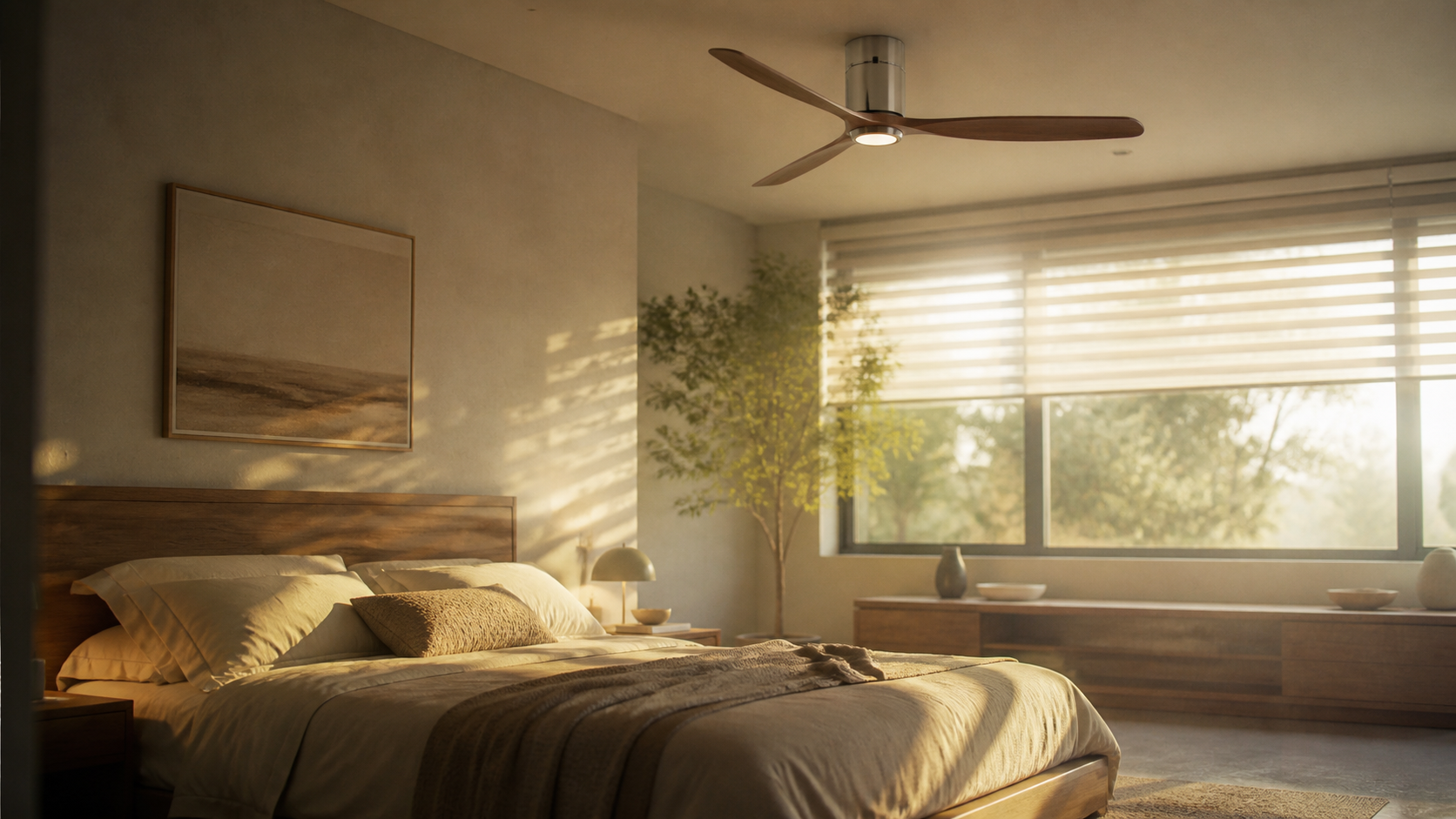
Installing a Carro smart ceiling fan is part electrical project, part room-design decision. The fixture has to move air quietly, sit at the right height, pair with Wi-Fi, and look intentional in the space. A basic fan swap can be simple for a confident DIYer, but the moment you see old cloth wiring, no rated ceiling box, aluminum branch wiring, or a missing ground, it becomes an electrician job.
This guide explains how to install a Carro smart ceiling fan, what the parts do, what to buy before you climb the ladder, and how Carro compares with other smart-fan routes in 2026. Expect street prices to shift by retailer and finish.
Editorial note: Product features were checked against Carro model listings and installation documents. Price ranges reflect listed prices from Carro USA, Home Depot, Amazon, Lowe’s, Ace Hardware, Hunter, Modern Forms, and Lutron viewed for this guide. Electrical guidance follows the fan-rated-box and power-isolation principles used in manufacturer instructions and common U.S. residential practice. Always follow the manual packed with your exact model and local electrical code.
“A smart fan should disappear into the room visually, then prove its value every day through quieter cooling, cleaner schedules, and fewer wall-switch compromises.”
Quick Definition: What Is a Carro Smart Ceiling Fan?
A Carro smart ceiling fan is a ceiling-mounted fan with built-in connected controls. Many current Carro models support app control through the Carro Home app, voice control through Amazon Alexa or Google Assistant, remote control, dimmable LED lighting on selected models, reversible airflow, and multi-speed DC motors. Unlike a standard ceiling fan connected to a third-party wall controller, most Carro smart fans place the receiver and control logic inside the fan assembly.
Popular Carro models sold in 2026 include the Carro Striver 52-inch smart ceiling fan, often seen around $199 to $279 at Home Depot, Amazon, and Carro USA, plus lower-profile Carro models for bedrooms and covered patios that may run from about $169 to $349. Check the exact listing for damp-location ratings, blade span, light kit details, and ceiling height requirements before buying.
Before You Buy: Match the Fan to the Room

The design mistake people make with smart fans is treating the device like a gadget first. Start with scale. A 44-inch fan fits many bedrooms and compact offices. A 52-inch fan suits living rooms and primary bedrooms. Large open rooms may need 60 inches or more, or two smaller fans aligned with seating zones. Finish matters too: matte black can look crisp in a modern room, white disappears against a white ceiling, and pale wood blades soften a tech-heavy office.
For most homes, the safer purchase is a fan with a DC motor, a remote, app control, and a light temperature that works with the room. If your home uses Apple Home, verify compatibility carefully. Many Carro fans focus on Alexa and Google Assistant, so HomeKit households may need a different strategy or a Matter-capable bridge if supported by your exact setup.
What You Need for the Install
- Carro smart ceiling fan kit with blades, canopy, downrod, receiver, remote, and hardware
- UL-listed ceiling fan-rated electrical box, if the existing box is not fan-rated
- Voltage tester, wire strippers, screwdriver, pliers, ladder, and safety glasses
- Wire connectors sized for the conductors in the box
- Smartphone with 2.4 GHz Wi-Fi available during setup
- Optional: medallion, longer downrod, or sloped-ceiling adapter if the room calls for it
The ceiling box is the critical part. A light fixture box is not automatically safe for a fan. Look for markings that say the box is rated for fan support. If the box moves when you tug it, stop and replace the support with a fan-rated brace or call an electrician.
Carro Installation Cost in 2026
| Item | Typical 2026 Price | Where to Buy | Notes |
|---|---|---|---|
| Carro Striver 52-inch smart fan | $199 to $279 | Home Depot, Amazon, Carro USA | Good mid-size pick for bedrooms and offices |
| Carro low-profile smart fan | $169 to $299 | Amazon, Walmart, Carro USA | Best for 8-foot ceilings |
| Fan-rated retrofit ceiling brace | $18 to $40 | Home Depot, Lowe’s, Ace Hardware | Needed if the existing box is not fan-rated |
| Electrician labor for replacement | $125 to $300 | Local licensed electrician | Typical swap with existing safe wiring |
| Electrician labor for new fan location | $350 to $900 | Local licensed electrician | Depends on attic access, switch wiring, and patch work |
Step-by-Step: How to Install Carro Smart Ceiling Fan Hardware
Power, Support, and Motor Assembly
1. Turn off power at the breaker. Do not rely on the wall switch. Turn off the breaker, then use a non-contact voltage tester at the ceiling wires. If the tester indicates power, stop.
2. Remove the old fixture or fan. Support the fixture while disconnecting wires. Photograph the wiring before you separate anything. You are looking for line, neutral, ground, and any separate switched conductors.
3. Confirm the ceiling box rating. A smart fan adds motion and torque that a light fixture does not. Replace any unsupported or plastic light-only box with a fan-rated metal box or brace kit.
4. Assemble the downrod and motor housing. Follow Carro’s manual for your exact model. Feed the motor wires through the downrod, secure the pin and clip, and tighten set screws. For low ceilings, use the flush-mount steps if your model supports them.
5. Mount the bracket. Attach the hanging bracket to the fan-rated box using the supplied screws or the screws recommended for the box. The bracket should sit flat and solid against the ceiling.
6. Hang the motor temporarily. Most Carro brackets let the ball joint rest in the hanger while you wire the receiver. Make sure the notch lines up correctly so the fan cannot rotate inside the bracket.
Receiver, Blades, and First Test
7. Connect the receiver and wires. Typical connections are house black to receiver input live, house white to receiver input neutral, receiver output leads to fan motor and light leads, and green or bare copper grounds tied together. Exact colors vary by model, so use the manual, not memory.
8. Tuck wires carefully. Place the receiver and wire connectors inside the canopy without pinching conductors. Keep antenna wires positioned as instructed so Wi-Fi pairing is not weakened by the metal canopy.
9. Attach the canopy, blades, and light kit. Tighten blade screws evenly. If the fan includes a light kit, connect its plug and secure the lens. Uneven blade screw tension is one common cause of wobble.
10. Restore power and test with the remote first. Before opening the app, confirm the remote controls speed, light, and direction where supported. If the remote does not work, pairing the app will not fix bad wiring.
App Setup: Pairing the Carro Home App
Most Carro smart fans require a 2.4 GHz Wi-Fi network for setup. Download the Carro Home app, create or sign in to an account, add a device, and put the fan in pairing mode according to the manual. If setup fails, move your phone closer, temporarily disable VPN software, and confirm that your router is not forcing 5 GHz only.
After pairing, rename the fan by room, such as “Bedroom Fan” or “Office Fan.” Then connect the Carro account to Alexa or Google Assistant if you want voice commands. Useful voice phrases include “turn on bedroom fan,” “set office fan to medium,” and “turn off the ceiling fan light.”
Carro vs Other Smart Fan Options
| Option | Best For | Typical Cost | Tradeoff |
|---|---|---|---|
| Carro smart ceiling fan | Clean all-in-one install | $169 to $349 | Compatibility depends on Carro app and supported assistants |
| Hunter SIMPLEconnect fan | More traditional fan styling | $199 to $499 | Model selection varies by retailer |
| Modern Forms smart fan | Premium interiors and large rooms | $349 to $999 | Higher price, stronger design catalog |
| Standard fan plus Lutron Caseta Fan Control | Homes already using Caseta | $160 to $350 plus fan | Requires compatible AC motor fan, no light dimming on the fan control |
Carro makes the most sense when you want a single-box solution and you are comfortable with its app ecosystem. A Lutron route makes sense if wall controls matter more than built-in fan intelligence. Modern Forms is the style-first upgrade, especially in open-plan rooms where the fan becomes part of the architecture.
Design Notes for Better Rooms
A smart ceiling fan should not fight the lighting plan. If the fan has an integrated LED, treat it as general light, not the only light in the room. Pair it with table lamps, sconces, or LED strips for evening atmosphere. In bedrooms, set the fan to low speed overnight and use warm, dim light before sleep. In offices, keep the blade color close to the desk, shelving, or flooring so the fan feels chosen rather than added late.
Common Problems and Fixes
The fan will not pair. Confirm 2.4 GHz Wi-Fi, reset the fan, and keep the phone near the room during setup. Some mesh routers need a temporary IoT network setting.
The fan hums. Check that the receiver supplied by Carro is installed and that the fan is not connected to an incompatible old wall dimmer. Ceiling fans should not run through a standard light dimmer.
The fan wobbles. Tighten blade brackets, confirm the hanger ball is seated, and use the balancing kit. A tiny weight change on one blade can make a visible difference.
The light works but the motor does not. Recheck receiver output wiring and plug connectors. If the remote controls the light only, the motor lead may be loose.
Q&A
Can I install a Carro smart ceiling fan myself? Yes, if you are replacing an existing fan, the ceiling box is fan-rated, and the wiring is modern and clear. Hire an electrician for new wiring, weak ceiling boxes, uncertain grounds, or anything that feels unclear.
Does a Carro smart ceiling fan need a wall switch? It usually needs constant power from a controlled circuit, while daily control happens through the remote, app, or voice assistant. Many owners leave the wall switch on.
Can I use a smart wall dimmer with a Carro fan? Usually no. Standard dimmers can cause hum or damage. Use the Carro controls listed for your model, or ask Carro support before adding wall hardware.
Is Carro better than Hunter or Modern Forms? Carro is often better on price for an all-in-one smart fan. Hunter has broad mainstream styling. Modern Forms costs more but offers stronger design choices for high-end rooms.
What is the best room for a first Carro install? Start with a bedroom or home office. You will notice quiet airflow, scheduling, and remote control every day, and the electrical setup is often simpler than in vaulted living rooms.
Final Take
Learning how to install Carro smart ceiling fan hardware is mostly about respecting the ceiling box, following the wiring diagram, and setting up Wi-Fi patiently. The best result is not just a fan that spins. It is a calmer room with cleaner air movement, better light control, and fewer visible controls on the wall.