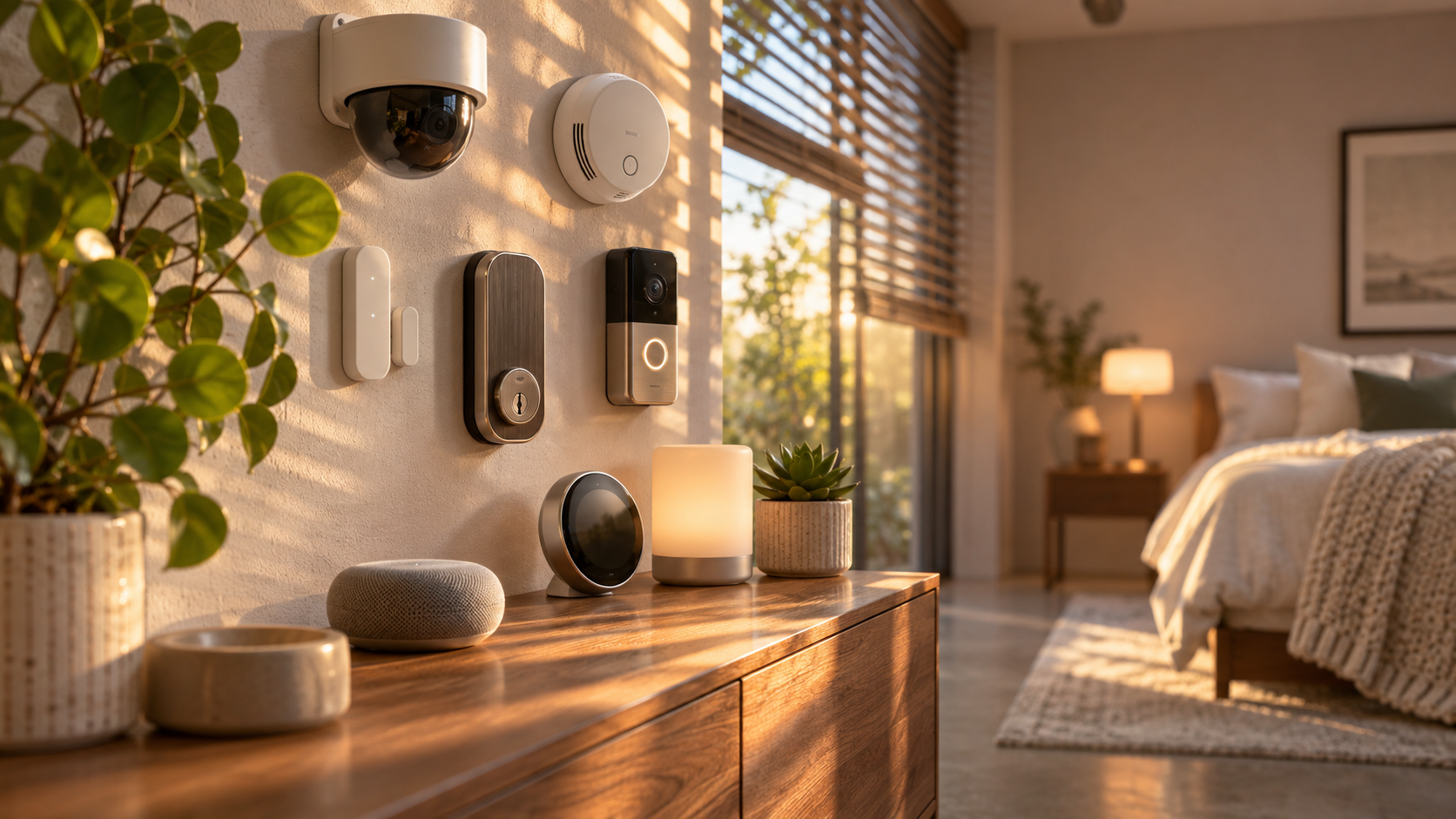
Home protection has expanded beyond a keypad and an alarm siren. A professionally installed package may connect entry sensors, cameras, smoke alarms, smart locks, a mobile app, and 24/7 monitoring into one system. It can also work alongside smart lighting, thermostats, doorbells, and other connected devices. However, the exact contents depend on the provider, property, contract, and level of service.
This guide explains what does professionally installed home protection include, how the process usually works, where it can add value, and which limitations to check before signing up. The goal is to help you compare protection services with the rest of a smart home plan, from energy management to bedroom comfort and home wellness.
What does professionally installed home protection include?
Professionally installed home protection generally means that a trained technician assesses your property, recommends equipment, mounts or configures the devices, connects them to a control system, and tests the result. Many packages also offer professional monitoring, in which a monitoring center receives alarm signals and follows a predefined response procedure.
A typical installation may include:
- A property assessment: The installer reviews doors, windows, garages, common walking routes, blind spots, internet availability, and power sources.
- Security hardware: Equipment can include a central hub, keypad, door and window contacts, motion sensors, glass-break sensors, indoor or outdoor cameras, video doorbells, and a siren.
- Safety sensors: Depending on the package, smoke, carbon monoxide, water-leak, freeze, and temperature sensors may be available.
- Installation and configuration: The technician mounts devices, establishes wireless connections, configures zones, updates firmware when appropriate, and sets up user access.
- Mobile control: An app may provide arming and disarming, alerts, live video, automation rules, and access management.
- Monitoring options: A service may send alarm signals to a professional monitoring center, to your phone, or to both.
- Training and handover: The installer should explain how to arm the system, respond to alerts, add users, test devices, and contact support.
Not every professionally installed system includes every item above. Cameras, smart locks, environmental sensors, cellular backup, extended warranties, and monitoring are often optional or tied to a particular plan. Ask for an itemized quote rather than relying on the phrase “complete protection.”
The main components of a professionally installed system
1. The control hub and communication path
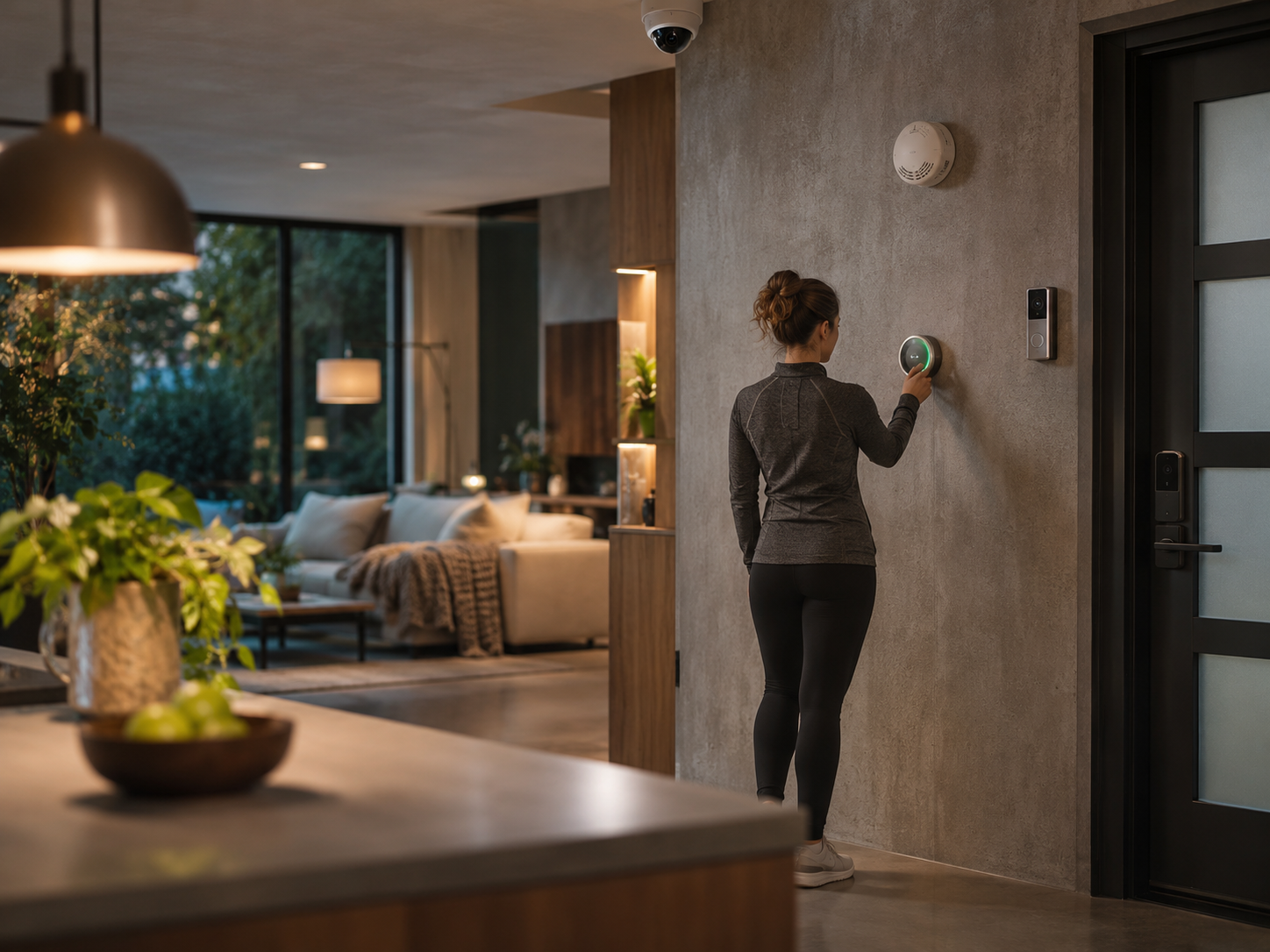
The hub is the system’s coordinating point. It receives signals from sensors and can communicate with an app or monitoring center. Some systems use Wi-Fi, while others add cellular connectivity as a backup if broadband service or power is interrupted. A battery backup can keep selected functions running during a short outage, but its duration varies.
Ask whether the hub needs your existing router, whether it supports cellular backup, and what happens when the internet is unavailable. A camera may stop remote streaming during an outage even if the alarm panel remains operational. These are separate capabilities and should not be treated as interchangeable.
2. Entry, motion, and glass-break detection
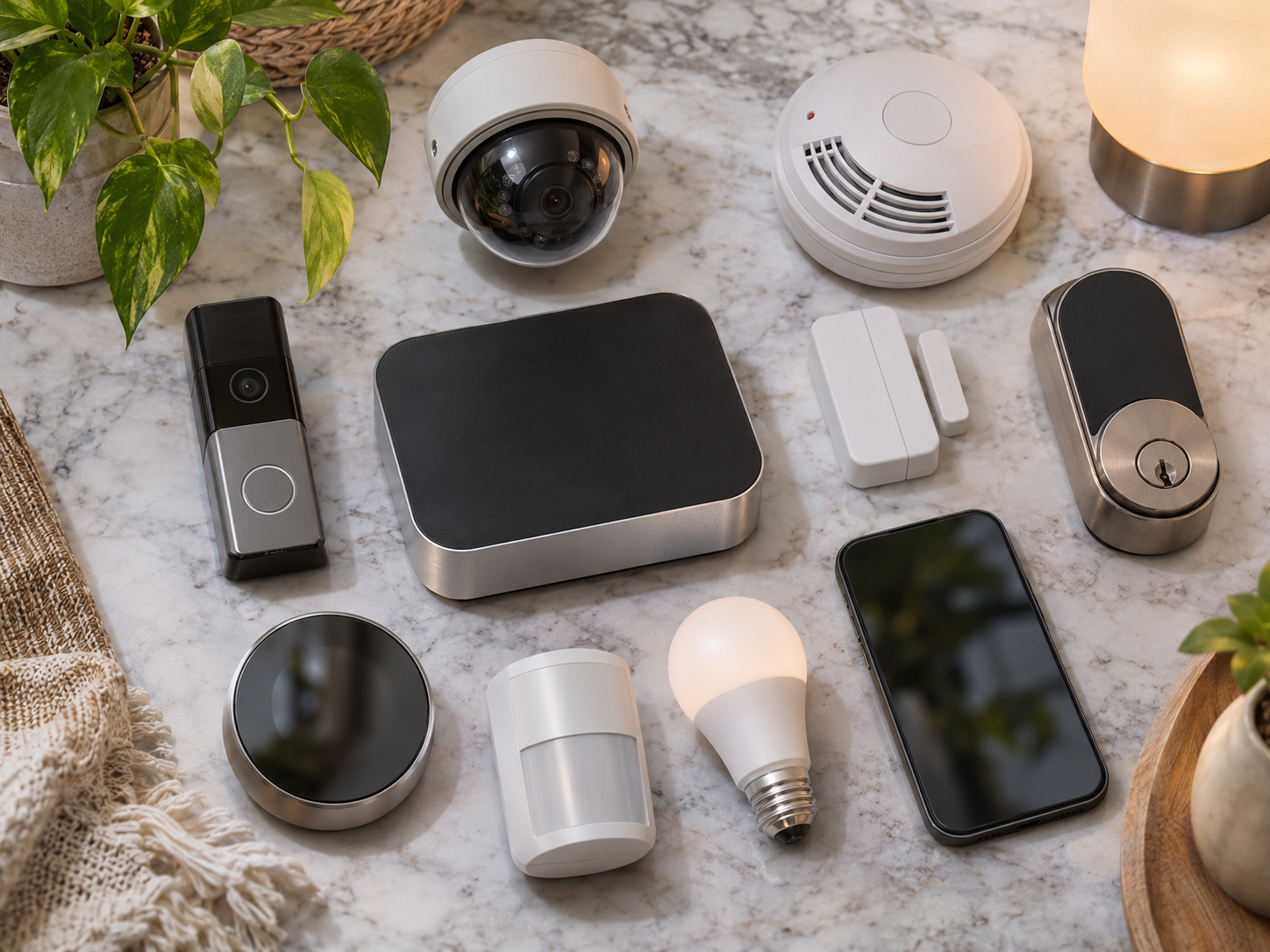
Door and window contacts detect whether an opening changes state. Motion sensors can help identify movement in selected areas, while glass-break sensors listen for acoustic patterns associated with breaking glass. Placement matters: pets, heating vents, direct sunlight, large furniture, and unusual room layouts can affect sensor performance.
A professional installer can suggest sensor locations, but you should still review the plan. A sensor on every opening may not be necessary for every household, and a motion sensor may be unsuitable in a room where pets roam freely. The right design balances coverage, privacy, cost, and convenience.
3. Cameras and video doorbells
Security cameras can provide visual verification, package views, visitor communication, and event notifications. Features may include night vision, two-way audio, person detection, activity zones, and cloud or local recording. Video storage is commonly subject to a separate subscription or equipment limitation.
Placement should respect neighbors, shared spaces, and local privacy rules. Avoid aiming cameras into bedrooms, bathrooms, or areas where people reasonably expect privacy. For indoor cameras, consider a physical privacy shutter or a routine that disables recording when residents are home.
4. Smart locks and access management
A compatible smart lock can allow keyless entry, temporary codes, automatic locking, and activity logs. Professional installation can help confirm that the lock fits the door, aligns correctly, and does not interfere with the deadbolt or emergency egress.
Access management is more than creating a code. Remove former users, avoid easily guessed combinations, use unique account passwords, and enable multifactor authentication when available. Keep a physical key or another safe entry method if the system supports it and your household needs one.
5. Fire, carbon monoxide, and water protection
Home protection may include monitored smoke and carbon monoxide alarms, water-leak sensors, freeze alerts, or sump-pump notifications. These devices address hazards that burglar alarms cannot detect. They should supplement, not replace, legally required smoke and carbon monoxide alarms installed according to local building and fire guidance.
Water sensors are useful near water heaters, washing machines, dishwashers, sinks, and basement equipment. A sensor may alert you to a leak but may not shut off the water unless a compatible automatic valve is installed. Confirm the difference between detection and prevention.
How professional installation fits into a smart home
A professionally installed security system may become the foundation for several smart-home routines. When the home is armed, lights could turn off, doors could lock, and the thermostat could use an energy-saving setting. When smoke is detected, connected lights might turn on to improve visibility. These automations can be helpful, but compatibility varies by brand and platform.
For broader ecosystem planning, consider whether the system works with the smart-home platform already used by your household. Google Home has published information about its partnership with AT&T Connected Life in the Google Home community announcement about smarter security. This is useful context for understanding how a security service may connect with a larger Google-centered home, but current availability, supported devices, and regional terms should be confirmed directly with the provider.
Integration can extend to smart lighting and atmosphere. A hallway light may turn on when motion is detected at night, or exterior lighting may activate when a camera identifies activity. Smart thermostats can use occupancy or away modes to manage comfort and energy use. These functions are conveniences, not guarantees of safety, and an automation failure should not be treated as an emergency response plan.
Other smart-living categories can coexist with security without being part of the security package. A minimalist desk setup might use a smart plug and task light; a smart bedroom could use a temperature sensor, motorized shades, or a gentle wake-up routine; a kitchen could use appliance alerts and leak detection. Robot vacuums, air purifiers, sustainable furniture, and eco-luxury goods generally require separate purchases and accounts, even when they use the same smart-home platform.
What happens during a professional installation?
Step 1: Complete a needs and property review
Prepare a simple floor plan and identify exterior doors, accessible windows, garages, detached structures, pets, children, valuable equipment, and areas where privacy is especially important. Explain how you use the home, including work-from-home hours and travel patterns. This gives the installer more useful information than choosing sensors room by room from a catalog.
Step 2: Request an itemized proposal
The proposal should separate equipment, installation, activation, monitoring, storage, service visits, taxes, cancellation terms, and optional accessories. Ask whether equipment is owned, leased, or financed. Find out whether moving to a new address, replacing a router, or ending monitoring affects system functionality.
Step 3: Review privacy and data practices
Before installation, read how recordings, alarm events, account details, and facial or person-detection data are handled. Check retention periods, who can access video, whether data is shared with service partners, and how to delete an account. Use strong, unique passwords and multifactor authentication for the main account and any linked smart-home platform.
Step 4: Confirm device placement
Walk through the proposed locations before drilling or mounting. Check camera angles, sensor reach, keypad accessibility, power outlets, and whether a device could be damaged by moisture, heat, or pets. A neat installation is valuable, but coverage and serviceability matter more than hiding every cable.
Step 5: Test every important scenario
At handover, test an entry sensor, motion sensor, camera notification, panic or emergency process, smoke and carbon monoxide monitoring procedure, battery backup, and cellular connection if included. Confirm how to place the system in test mode before conducting future tests. Ask for written instructions and record the support contact information.
Professional installation versus do-it-yourself protection
Professional installation can reduce setup errors and provide a second opinion on coverage. It may be especially useful for a large home, a multi-story property, hardwired equipment, integrated access control, or a household that wants one company to manage installation and monitoring.
DIY systems are often more flexible. You can choose individual devices, install them gradually, relocate them, and avoid some installation charges. They may also make sense for renters or people who prefer local recording and direct control. The trade-off is that you are responsible for placement, network configuration, firmware updates, battery replacement, and troubleshooting.
Neither approach is automatically more secure. Professional installation does not eliminate weak passwords, poor maintenance, false alarms, internet outages, or service limitations. DIY equipment can be effective when carefully selected, correctly installed, and regularly maintained.
How to compare providers and claims
Use a consistent checklist instead of comparing headline features alone. Review sensor coverage, camera quality, recording terms, response procedures, backup communications, app permissions, compatibility, accessibility, contract length, repair policy, and total cost over the time you expect to use the service.
For an independent market overview, see CNET’s guide to the best home security systems. Its comparisons can help identify common categories and evaluation factors, but products and plans change, so verify current specifications with the manufacturer. The Verge has also covered the AT&T Connected Life and Google smart-home security relationship in its report on the partnership and pricing context. These sources are useful for comparison and industry context, not substitutes for reading a current service agreement.
Advantages, drawbacks, and limitations
Potential advantages
- A trained installer can identify coverage gaps and configure equipment for the property.
- One app may combine security events, access control, video, and selected smart-home routines.
- Professional monitoring can provide an additional channel for alarm response when you cannot check your phone.
- Environmental sensors can alert you to smoke, carbon monoxide, leaks, or freezing conditions.
- Installation and support may be convenient for people who do not want to manage networking and device setup.
Potential drawbacks and limitations
- Professional service may cost more initially and may involve recurring monitoring or storage fees.
- Contracts, equipment financing, cancellation charges, and relocation rules can reduce flexibility.
- Cloud cameras and app features depend on the provider’s servers, account policies, and network availability.
- False alarms can create inconvenience and may lead to local fees or reduced trust in notifications.
- Integration between brands may be partial; a device can appear in an app without supporting every automation.
- Monitoring centers do not guarantee emergency response times, and a security system cannot prevent every intrusion, fire, medical event, or loss.
Power, broadband, cellular coverage, device batteries, construction materials, weather, and incorrect user settings can all affect performance. Treat the system as one layer of a broader plan that includes strong doors and windows, safe appliance use, smoke-alarm maintenance, secure account practices, and an emergency contact plan.
Questions to ask before agreeing to installation
- Which devices and services are included in the quoted price?
- What is the total monthly and one-time cost, including video storage and service visits?
- Is monitoring required, and what exactly happens after an alarm signal?
- What backup exists for power, broadband, and cellular communication?
- Who owns the equipment, and can it work with another provider later?
- How are video, audio, and personal data stored and shared?
- What maintenance, battery replacement, warranty, and technical support are included?
- Can I test the system periodically without creating a false alarm?
Concise Q&A
Does professional installation always include 24/7 monitoring?
No. Installation and monitoring are separate services in many offers. Confirm whether monitoring is optional, required, or unavailable.
Are smart locks and cameras included?
Sometimes, but they are frequently add-ons. Check the equipment list, recording terms, power requirements, and compatibility with your preferred smart-home platform.
Can a professionally installed system work without internet?
Some alarm functions may continue through cellular communication or local processing, while remote video and app features may not. Ask about each device and the backup battery duration.
Is a professional system suitable for renters?
It can be, but drilling, contract length, equipment ownership, and moving policies require careful review. A portable DIY system may be more practical in some rental situations.
Does installation make a home completely safe?
No. It can improve detection, communication, and convenience, but it cannot remove all risks. Use the system with physical security, fire safety, privacy controls, and a household emergency plan.
Bottom line
Professionally installed home protection commonly includes a property assessment, mounted sensors, a control hub, app setup, system testing, user training, and optional professional monitoring. Cameras, smart locks, environmental sensors, cellular backup, and smart-home integrations may be included or may cost extra. The most useful comparison is not the largest device list; it is the combination of reliable coverage, transparent costs, sensible privacy practices, clear response procedures, and compatibility with the way your household lives.
Safety and informational disclaimer: This article provides general information, not security, legal, insurance, financial, medical, or emergency-response advice. Service terms and local requirements vary. For immediate danger, fire, carbon monoxide, or a medical emergency, follow local emergency guidance and contact the appropriate emergency service.